Creating a New Playlist #
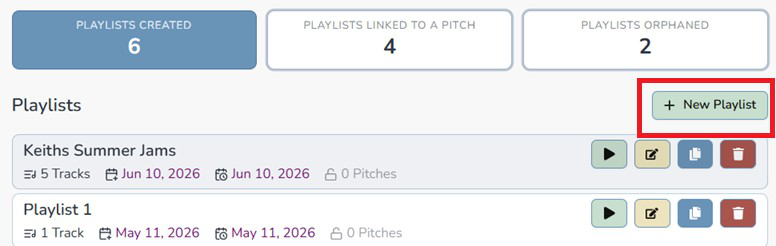
If you want to create a new playlist, click on the green “+ New Playlist” button on the top right of the playlist list.
That will initiate a blue bar at the top of your screen. Enter your new playlist name and click the green save button.
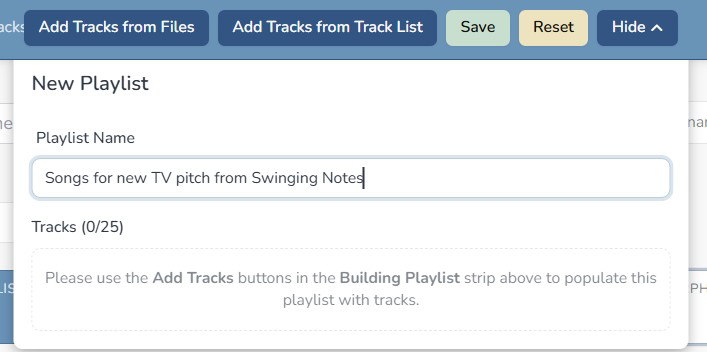
To start adding tracks to your playlist, either click on “Add Tracks from Files” (this would be the files section) or “Add Tracks from Track List” (this would be from the track list section)

If you are adding tracks from the track list, you can set up your track filter to filter on whatever you need to list the necessary track(s). Once you have the track(s), click on the “+ Playlist” button that appears to the far right of the track title.

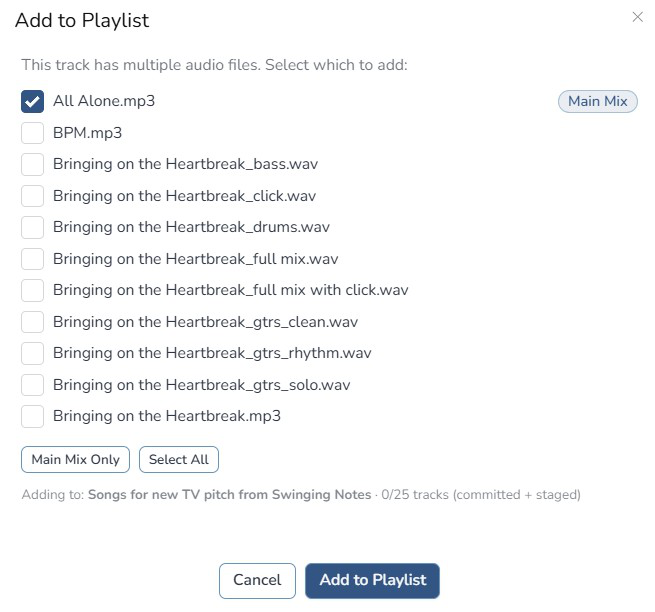
Once you click that button, a popup will display all the audio files attached to the track. You can select track by track or select the “Main Mix Only” or “Select All” buttons. Once you have all your tracks checked, click the “Add to Playlist” button.