
Step 4: Select Your Plan #
After verifying your email, you will be taken to the plan selection screen. Toggle between Yearly (discounted) and Monthly billing before selecting your plan.
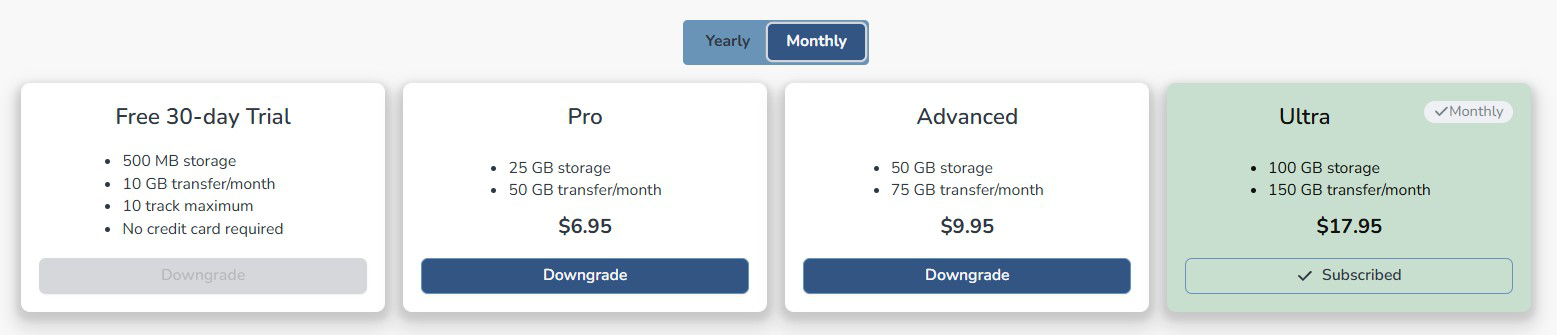
- Make sure the billing toggle is set to your preferred cycle.
- Click the 30-Day Free Trial button or select a paid plan.
- Composer Catalog will register your account.
- You will see your account dashboard showing your storage, data transfer, and track limits.
Free Trial Limitation: During the 30-day free trial you are limited to 10 tracks. However, all features of the application are fully available so you can explore everything Composer Catalog has to offer before upgrading.


