
Button List #
The four buttons on the far right are:
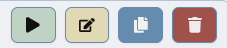
- Play – brings up a player that allows you to play the tracks in the playlist selected.
- Edit or View – If the playlist was not sent off in a pitch yet, you will see an Edit button. This will allow you to edit the playlist. If it has already been sent, you will see a view button. This will allow you to view the playlist.
- Duplicate – if you want to create a new playlist and start by duplicating an existing playlist, click this button on the playlist you would like to duplicate and name your new playlist. All the tracks will be copied over.
- Delete – this will delete the playlist. If you have any pitches attached to the playlist, you would have to remove them first.


