
This guide walks you through the complete process of creating a new Composer Catalog account — from visiting the pricing page to completing your subscription and accessing the application. The entire process takes less than five minutes.
Start here: composercatalog.com
Step 1: Visit the Pricing Page #
To get started with Composer Catalog:
- Go to composercatalog.com.
- Navigate to the Pricing page.
- You will see several plan options displayed on the page.
- Click any of the sign-up buttons — they all take you to the same registration page.
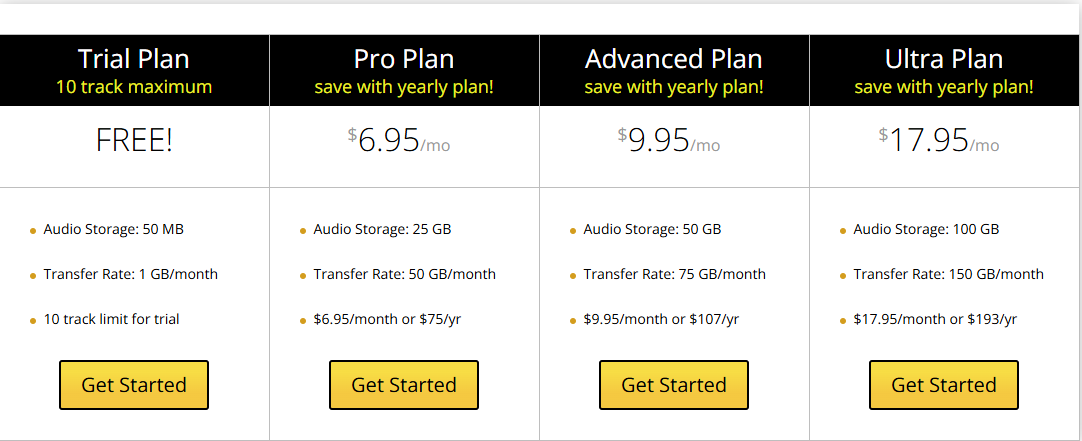
| Note: All buttons on the pricing page lead to the same account creation form regardless of which plan you are interested in. You will select your plan after creating your account. |


